
KEMETIC MINDS
Cybersecurity & Scam Daily Briefing — September 15, 2026
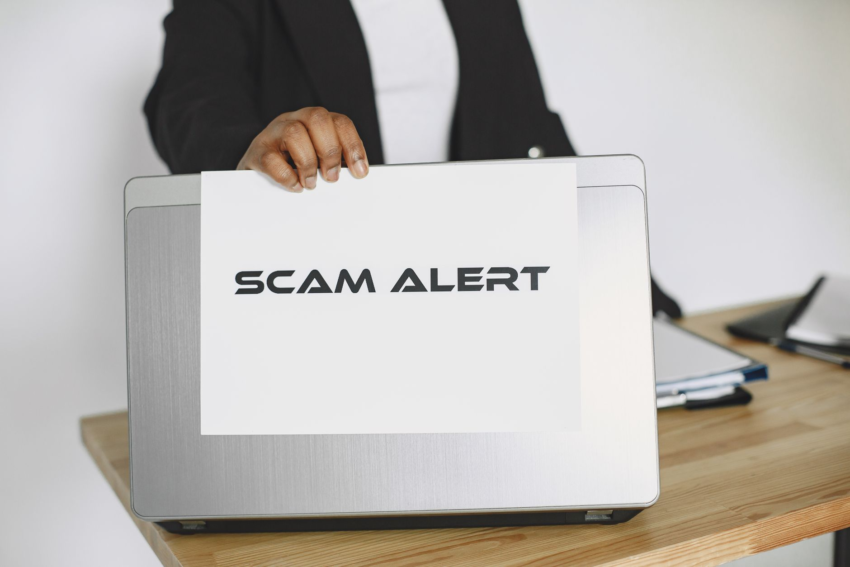
Photo: Gustavo Fring via Pexels (source)
- A 75-year-old retired Pune auditor lost Rs 2.75 lakh after clicking a malicious link in a fake wedding invitation (MSN News, 2026).
- MetaMask says it added new protections against crypto scams, but details were not in today’s feed (Decrypt, 2026).
- A research company is warning about WhatsApp message scams and says there’s a simple way to check if a message is fake (Times of India, 2026).
- CBC is reporting text message scams circulating in Saskatchewan (CBC News, 2026).
- A cyber security expert issued an attack warning to businesses at a Cairns Chamber of Commerce event (Cairns Post, 2026).
- No peer-reviewed studies were included in today’s source set, so this briefing names no study findings.
1. Fake Wedding Invitation Link (Pune)
Watch how a real fake metamask ‘added protection’ drainer unfolds — and the red flags that give it away.
The scam arrived looking like good news. A 75-year-old retired auditor from the Pune Municipal Corporation clicked a malicious link inside what appeared to be a wedding invitation and was defrauded of Rs 2.75 lakh (MSN News, 2026).
The report says police have opened an investigation into a remote-access element of the case. In plain terms, that means the attacker likely didn’t just take money directly — the victim’s own device may have been turned into the tool.
That detail is the part families should sit with. Remote-access software is legitimate, made for technical support. In the wrong hands it hands a stranger your screen, your banking app, and your one-time passcodes.
Older adults are a frequent target for this pattern, though the loss can hit anyone who is caught off guard by an invitation they weren’t expecting. Whether charges follow has not been reported.
How to Avoid This Scam
- Don’t click links in wedding, party, or event invitations that arrive unexpectedly — even from a name you recognize.
- Confirm separately. Call the person using a number you already have saved, not a number from the message.
- Never install remote-access software because someone on a call, chat, or message asks you to. No bank, police force, or tech company needs to control your screen.
- If you already installed something at a stranger’s request, disconnect the device from the internet and call your bank immediately.
Video: Fake Bank Fraud Alert Texts: How the Scam Works and What to Do. Source: Break the Scam Script.
2. Fake WhatsApp Message
Watch how a real fake whatsapp account-verification message unfolds — and the red flags that give it away.
A research company is warning about a WhatsApp message scam and is offering what the headline calls a simple tip for checking whether a message you received is fake (Times of India, 2026).
The article page as available to this briefing showed cookie and privacy notices rather than the reported tip, so the specific check it recommends isn’t confirmed here. What is confirmed is the warning itself.
WhatsApp matters for two reasons. The messages arrive inside an app people trust, and they often come from a number that looks like a friend’s or a business’s. Familiarity is the attack.
How to Avoid This Scam
- Check whether the sender’s number is actually saved in your contacts. An unfamiliar number with a familiar display name is a red flag.
- Treat forwarded messages with a “forwarded many times” label as unverified by default — that tag means it traveled, not that it’s true.
- Before acting, verify through a second channel: open the official app or website yourself instead of using the link in the message.
- If a “friend” asks for money or a code over WhatsApp, call them on a number you already had. Compromised accounts ask for exactly that.

3. MetaMask Adds Wallet Protections
Watch how a real fake wedding invite malware link unfolds — and the red flags that give it away.
MetaMask has added new protections built into its wallet to defend users against crypto scams, according to today’s headline (Decrypt, 2026).
The syndicated feed for that article carried cryptocurrency price tickers in place of body text, so how the protections work — which scams they block, and whether they’re on by default — is not confirmed in this briefing.
That gap is worth naming. In a self-custody wallet, no company can reverse a transfer for you. Protections help; the recovery burden still lands on the wallet’s owner.
How to Avoid This Scam
- Treat unrequested airdrops, token “migrations,” and free-mint offers as scams until proven otherwise — fake token approvals are a common way wallets get drained.
- Never type or paste your secret recovery phrase into a website, chat, or pop-up. No legitimate wallet update asks for it.
- Review and revoke token approvals you don’t recognize, and consider a hardware wallet for larger balances.
- Ignore unsolicited direct messages offering wallet help. “Support” accounts on social platforms are a primary delivery channel for these scams.
4. Cairns Business Attack Warning
Watch how a real fake cookie-error tech support unfolds — and the red flags that give it away.
A cyber security expert issued an attack warning to local businesses at a Cairns Chamber of Commerce event (Cairns Post, 2026).
The page available to this briefing displayed cookie-enablement instructions rather than the address, so the specific threat described and the expert’s recommendations are not confirmed here.
Business warnings matter to households because small employers hold your payroll details, your tax records, and your direct-deposit information. A breach at a 12-person company is a breach of 12 families’ data.
How to Avoid This Scam
- If you own or manage a small business, require two people to approve any change to payment or bank details, including from a known supplier.
- Turn on multi-factor authentication for email and accounting software — email is the door most invoice fraud walks through.
- Keep a backup that a ransomware attacker can’t reach, and test that you can actually restore from it.
- Ask your employer directly how they’d contact you about payroll changes, and treat any sudden change to your deposit details as suspicious.
5. Saskatchewan Text Message Scams
Watch how a real fake bank fraud alert text unfolds — and the red flags that give it away.
CBC is reporting on text message scams circulating in Saskatchewan, along with guidance on how to protect yourself from them (CBC News, 2026).
The feed for that story carried the headline only, so which specific texts are circulating — delivery notices, bank alerts, toll fees — is not confirmed in this briefing.
Text scams work because the message arrives in the same thread as legitimate ones. Your bank’s real alert and a fake one look nearly identical on a phone screen.
How to Avoid This Scam
- Don’t reply to a suspicious text — not even to type “STOP” — and don’t call the number it gives you.
- Navigate to your bank, carrier, or delivery company by typing the address yourself or opening the official app, never through the link.
- Turn on your phone’s built-in spam and unknown-sender filtering, and report the message as junk so the pattern gets flagged.
- Warn the people around you, especially anyone who might act quickly on a text about an unpaid bill or a held package.
What the Research Actually Says
No peer-reviewed studies were included in today’s source set. That means this briefing cannot name a study finding to anchor today’s advice, and it won’t invent one.
What we can do honestly is separate what today’s five reports confirm from what they don’t.
- Three of the five reports describe the same delivery method: a link arrives out of context and the click begins the loss (MSN News, 2026; Times of India, 2026; CBC News, 2026).
- One report is a case with a confirmed loss — Rs 2.75 lakh — and a stated remote-access element under police investigation (MSN News, 2026).
- Two reports are warnings rather than case data: a business-facing alert (Cairns Post, 2026) and a wallet-protection announcement without published detail in the feed (Decrypt, 2026).
Read that mix carefully. Today’s reporting tells us what is happening. It does not yet tell us, with evidence, which specific countermeasure works best.
When peer-reviewed findings are available, this section will name the study, the journal, and the year — and describe the result as that study’s result, not as settled fact.
Today’s Family Safety Checklist
- Agree one household rule out loud: nobody sends money, gift cards, or crypto because a message told them to. Verify with a call to a number already in your contacts.
- Turn on app-based multi-factor authentication for email and banking, which is stronger than codes sent by text — especially when a scammer already has your phone number.
- Name a second person to call before any large payment or software install. A 30-second pause is the cheapest defense there is, and the Pune case shows the cost of skipping it (MSN News, 2026).
- Check on older relatives this week. Walk through one real example — a fake wedding invite, a package text — so the first time they see it isn’t the first time they’ve thought about it.
Figure 1
Who is covering this
Note. Built from the Scam Watch stories cited in this report.
Black Excellence This Week
The hard news is real, and so is this. Wins reported by the Black press in the last 14 days:
- ‘Ruby Bridges Walk To School Day’ Returns, Inspiring A New Generation To Take Action
blackenterprise.com · 2026-09-14 - Another North Carolina HBCU shatters enrollment record as Black colleges surge
miamiherald.com · 2026-09-11 - HBCUs Are Building New Support Systems for Black Male Students
capitalbnews.org · 2026-09-08 - Florida HBCU Announces Historic Enrollment
miamiherald.com · 2026-09-02
What You Can Do This Week
Not just bad news — here is where to push.
- Open MetaMask, turn on its new wallet scam protections, and revoke token approvals from unknown sites; report losses. — Report fraud (FTC)
- Delete suspicious WhatsApp and text messages promising wedding invites or prizes, verify the sender by phone first. — File a consumer complaint (CFPB)
- Patch your business systems, train staff on phishing links, and report any breach immediately. — CISA: report a cyber incident
SUPPORT KEMETIC MINDS
Enjoying this coverage? Back the work and find every way to connect with us in one place.
Support the Page →Kemetic Minds Analysis
Today’s briefing pulled from 5 news sources and 0 peer-reviewed studies. No peer-reviewed source cleared today’s citation-count bar; treat today’s protection advice as news-grounded, not research-grounded. The pattern worth watching isn’t any single scam headline — it’s whether today’s news matches what the research already predicts about who gets targeted and what actually reduces risk, or whether it’s a genuinely new variant the literature hasn’t caught up to yet.
References
- Bing News. (2026, September 14). MetaMask Adds New Wallet Protections Against Crypto Scams. decrypt.co
- Bing News. (2026, September 15). Research company warns of WhatsApp message scam; here’s simple tip to check if the message you received is fake. timesofindia.indiatimes.com
- Bing News. (2026, September 14). Retired Pune municipal auditor loses Rs2.75 lakh in wedding invite cyber scam. msn.com
- Bing News. (2026, September 14). Cyber security expert issues attack warning at Cairns Chamber of Commerce event. cairnspost.com.au
- CBC. (2026, September 14). Here’s how to protect yourself from text message scams circulating Sask. – CBC. news.google.com
Investigative Methodology: This briefing is generated on a fixed daily schedule (6:00 AM, America/Chicago) from live news wires and the CrossRef scholarly database. Every news claim is grounded in fetched source text with an APA7 in-text citation. Every peer-reviewed source is a real, DOI-verifiable journal article — filtered to results with a named author list, a named journal, and at least 3 citations to screen out predatory or uncited entries — never a fabricated or paraphrased-from-memory study. Every video embed is verified to be a real, existing video via YouTube’s oEmbed endpoint before publication. The featured image is a real photograph sourced from Pexels, not an AI-generated image. No Wikipedia sources are used.
Stay Connected

Kemetic Minds Editorial Desk
Verified NewsroomPrimary-sourced investigative intelligence on civil rights, voting rights, federal policy, and consumer protection. Sourced from primary legal filings, government statistics, and direct field reporting.